
TL;DR
There is no universal passport-photo rule. Start with the exact document and submission channel, capture a natural front-facing portrait, and verify both the visible image and the digital or print file requirements. IDPIC can prepare a crop and show checks, but the issuing authority makes the final decision.
Photo Examples: Common Requirements and Common Issues
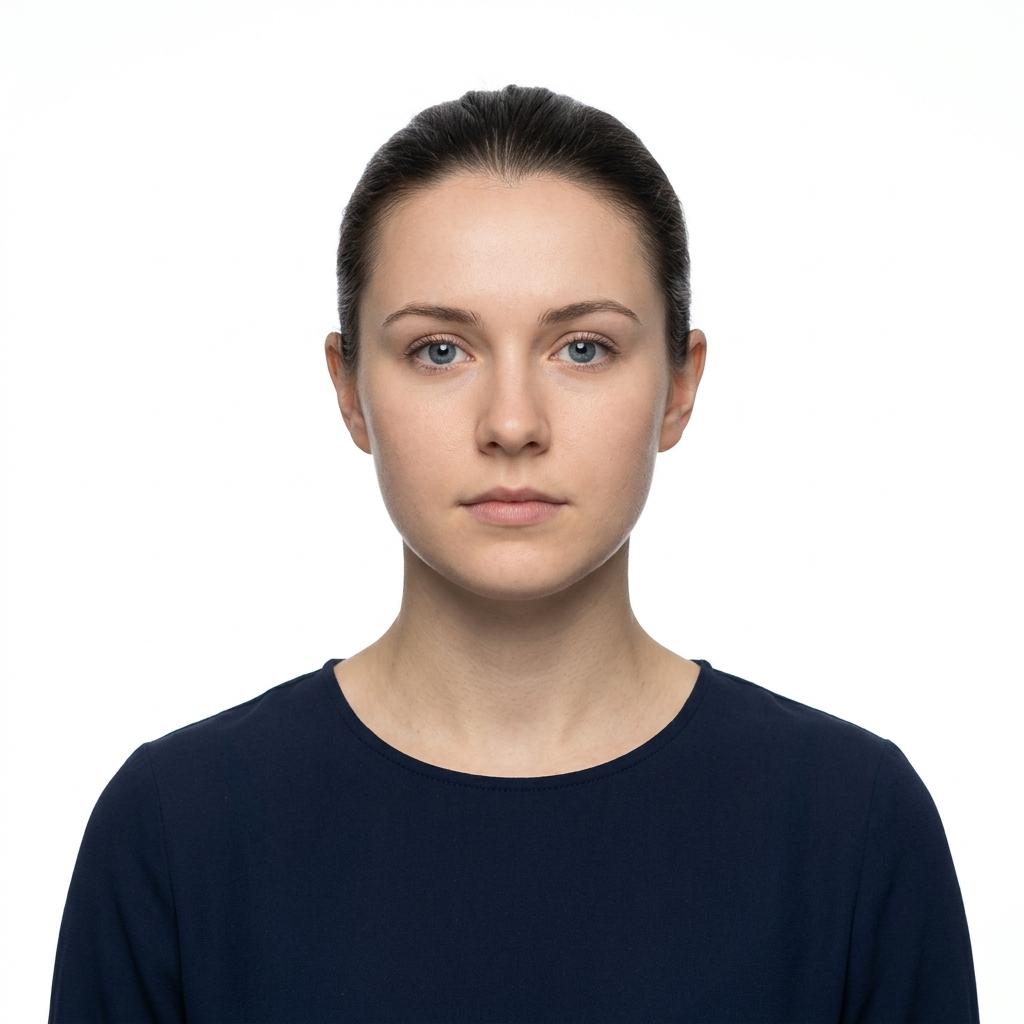
- Neutral expression, mouth closed
- Even lighting, no shadows
- Pure white background
- Eyes clearly visible
- Head centered and upright
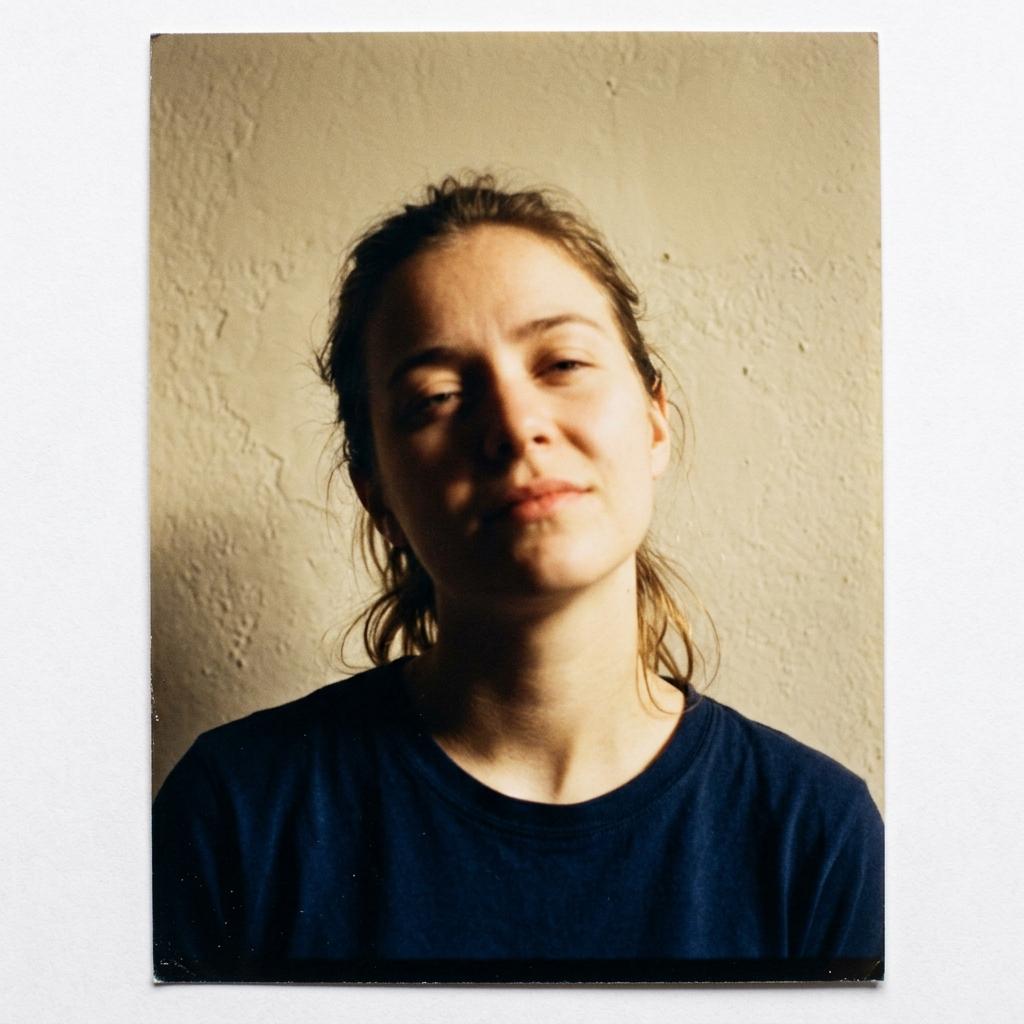
- Harsh shadows on face
- Non-white textured background
- Head tilted to one side
- Squinting eyes
- Yellow color cast from indoor lighting

- Direct forward gaze
- No glasses or accessories
- Clear contrast with background
- Sharp focus on face
- Appropriate framing and crop
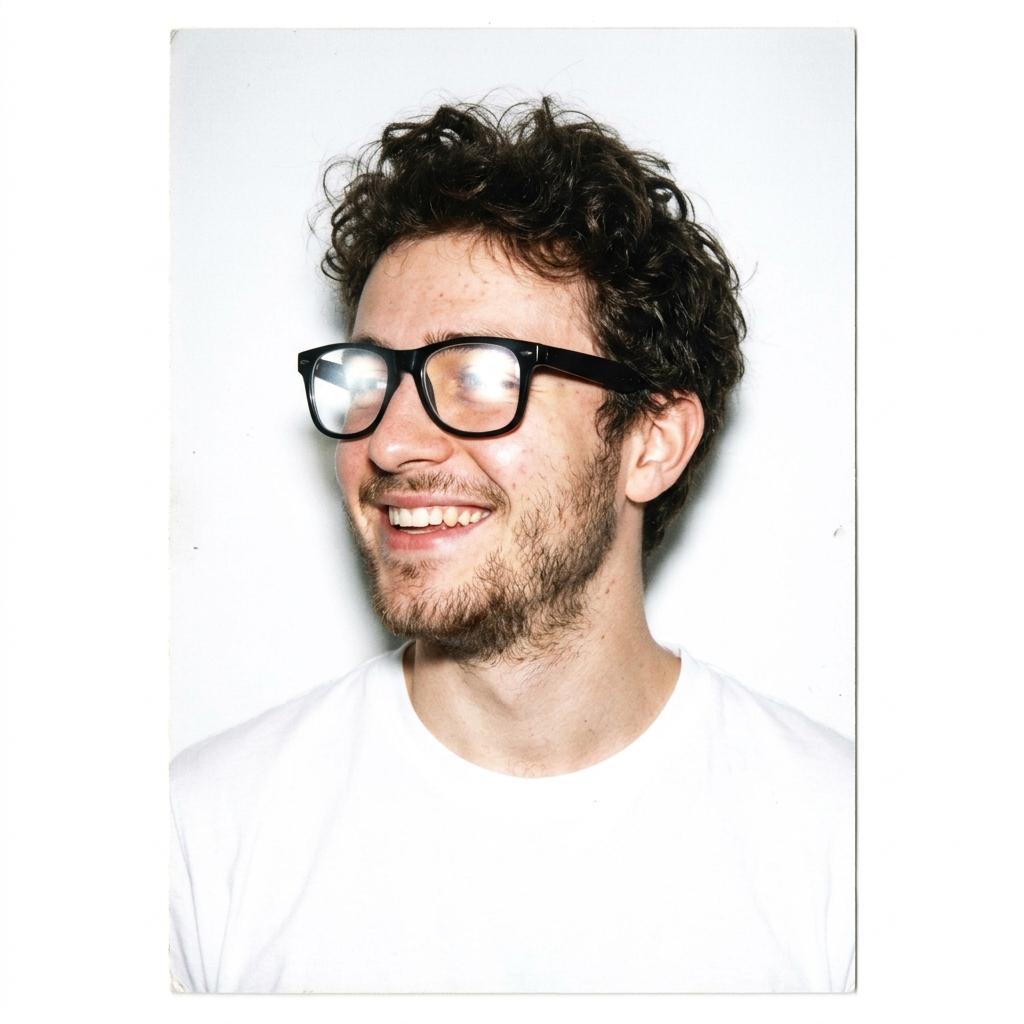
- Glasses with visible lens glare
- Smiling with teeth showing
- Head turned to the side
- White shirt blends with background
- Not facing camera directly
Start with the document and submission channel
An online renewal, a paper application and a visa portal may use different file, print and delivery rules. Before opening the camera, write down the exact document, country, application channel and whether the authority asks for a digital file, printed photos or both.
Do not copy a size from a search result for another document. Use the official page linked in this article first, then check the form or portal that will receive your application.
Check the face and composition separately
A correct outer size does not rescue a portrait with a tilted head, hidden eyes or an expression that changes the likeness. Face the camera squarely, keep the mouth and expression appropriate for the document, and leave the crown and chin visible unless a published exception applies.
Avoid a universal head-size percentage. Authorities measure different reference points and some channels use a template or an automated check.
Control light, background and editing
Use even light that shows natural skin tone and does not create a second shadow behind the head. A plain light background is common, but the accepted colour is document-specific. Remove objects, move away from the wall and inspect the shoulder line before exporting.
Do not rely on beauty mode, filters or retouching to repair a weak capture. If an exception is permitted for religious or medical reasons, follow the authority's own wording.
Separate print rules from digital file rules
Physical dimensions, pixel dimensions, file format, file size and colour profile describe different parts of a submission. A square print is not automatically a valid square upload, and a large smartphone file may need a documented export step.
The U.S. Department of State and GOV.UK publish different digital examples; treat them as channel-specific rules, not a global standard.
Run an evidence check before submission
Open the exported file at 100% and inspect focus, eyes, hair, shadows, background edges, colour and compression. Confirm the format and pixel dimensions, and check for an accidental filter, mirror flip or watermark.
Keep the original capture separate from the prepared copy. A tool result never overrides manual review by a passport office, embassy or visa service.
Key data at a glance
| Specification | United States | United Kingdom | Canada | China | Australia |
|---|---|---|---|---|---|
| Photo size | 2×2 in (51×51 mm) | 35×45 mm | 50×70 mm | 33×48 mm | 35×45 mm |
| Digital size | 600×600 px | 600×750 px min | 591×827 px | 354×472 px | 600×800 px |
| Background | White / off-white | Light grey / cream | White or light | Uniform white | Plain white |
| Head height | 25–35 mm | 29–34 mm | 31–36 mm | 28–33 mm | 32–36 mm |
| Glasses allowed | No | No | No | No | No |
| File format | JPEG ≤ 240 KB | JPEG | JPEG | JPEG | JPEG |
Frequently asked questions
What should I check first?
Start with the exact document and submission channel. The issuing authority or receiving portal decides the current photo, file and delivery rules; a general passport-photo guide cannot replace those instructions.
Is a correct crop enough?
No. Check the original likeness, focus, eye visibility, head angle, expression, background, colour and export settings as separate checks. A correct rectangle does not fix a portrait that is blurred, tilted or overly edited.
Can I reuse one photo for different applications?
Only when the document and submission channel accept the same image conditions. Different authorities can require different ratios, head framing, file formats or image-age limits, so prepare a separate output when the rules differ.
What should I do when the instructions are unclear?
Use the authority's current examples or contact the receiving office before submitting. IDPIC can help prepare and inspect an image, but the issuing authority makes the final acceptance decision.
Example scenario
Applicant preparing one photo for two submissions
An applicant has a passport renewal and a visa upload in the same week. Instead of exporting one generic square file, they record both official checklists, keep one unedited capture and create a separate prepared copy for each channel.
Sources & References
Public change history
Rewritten as a source-first checklist with separate print, digital and authority-review steps.
Removed unsupported universal measurements and clarified the limits of automated preparation.