IDPIC / Help center
Start with your exact document
Many apparently conflicting photo rules apply to different countries, documents or submission channels. Confirm those three details before following a size or background instruction. The answers below explain common preparation steps, while the linked issuing-authority instructions control the actual application. A successful technical check means only that the tested conditions were met; it is not a passport, visa or identity approval. For an infant, medical exception or restricted editing workflow, review the specific guidance rather than applying a general answer without context.
Global
document coverage
Expanding
photo format library
Private
encrypted processing
Photo lifetime and customer support
The photo policy is consistent across the site: unpaid tasks have a 7-day period, paid tasks a 30-day period, followed by automatic photo deletion. You can initiate deletion earlier. A download is not an automatic request to delete the original. Use the relevant task or account deletion option, or contact support@tryidpic.com if you need help. The support form opens an email draft that you must send; it is not an automatically submitted ticket. For billing issues, also provide the order reference and follow the refund policy.
Frequently asked questions
Getting started
Understand what the tool does and how to obtain a digital file.
What is a passport photo maker?
A passport photo maker is an online tool that prepares a portrait for a selected document specification; it does not create or issue an identity document. IDPIC adjusts the crop and output dimensions, checks head position, and prepares the required background. Review the result against your original likeness and the current official instructions before submitting it, because the issuing authority makes the final acceptance decision.
How do I get a digital passport photo?
Choose the country and exact document, upload a recent clear portrait, and review the processed result before downloading the digital file. A digital photo may have separate rules for pixels, aspect ratio, file format, and file size, so it is not interchangeable with a scan of a printed photo. Keep the original image and check the application portal's current upload rules before submitting.
Taking the photo
Prepare the camera, lighting, background, expression, and clothing.
Can I take the photo at home?
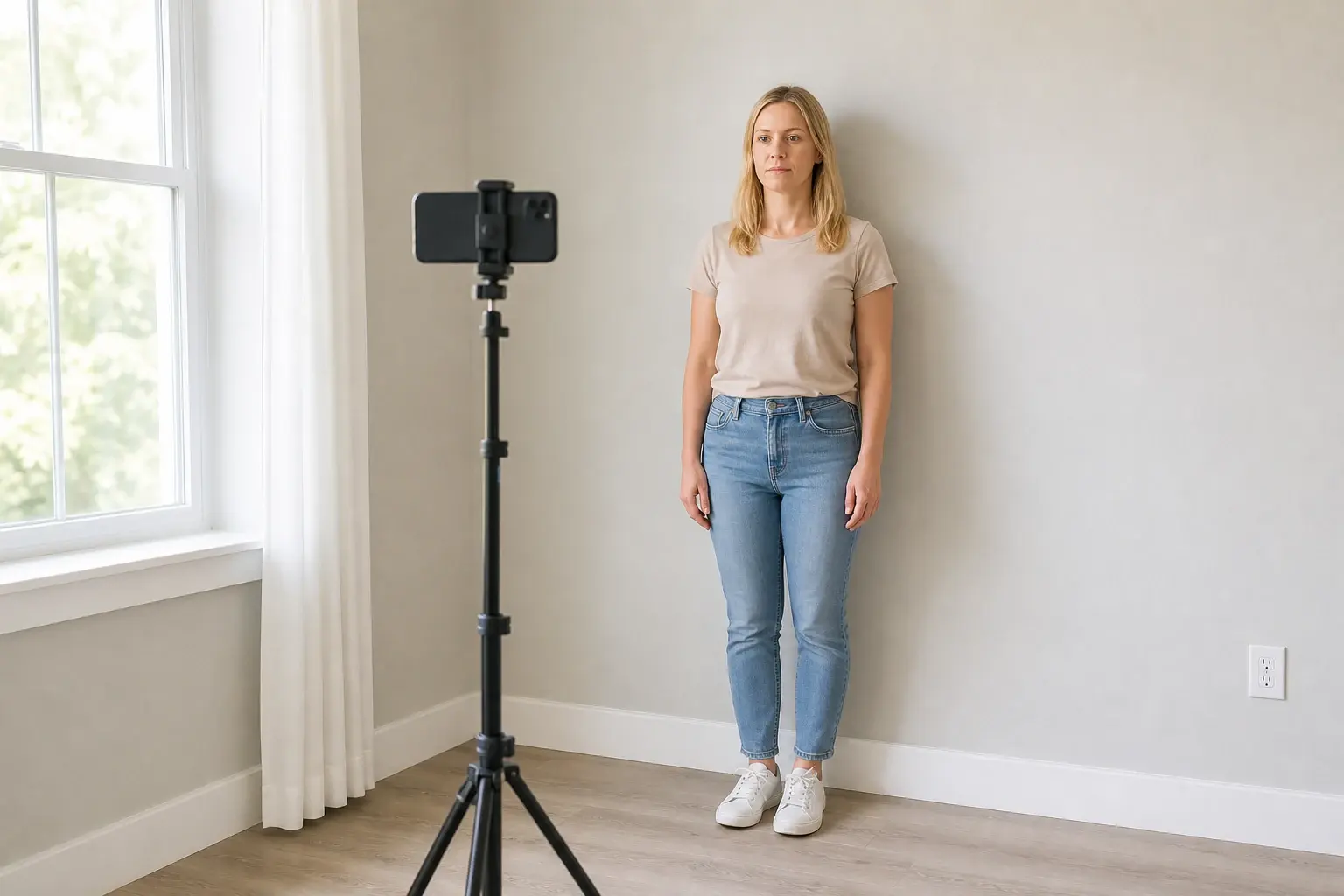
Yes. Face a window or another soft, even light source, stand away from a plain wall to reduce shadows, and place the camera at eye level. Ask another person to take the photo or use a timer so the camera remains level. Retake the image if it is blurred, strongly shadowed, overexposed, or altered by beauty filters or portrait-mode effects.
Can I use a phone photo?
Yes, provided the image is sharp and recent. Clean the lens, use the rear camera when possible, keep it at eye level and about 1.5 metres away, and avoid a close selfie that distorts facial proportions. Turn off beauty filters, portrait mode, artificial background blur, and automatic retouching, then keep the unedited original in case you need to try again.
What background is accepted?
The accepted background depends on the document. Many authorities require plain white, off-white, or another uniform light colour, while some specify a different colour. Start with a clean wall without objects, texture, gradients, or strong shadows, and follow the background shown in the selected document guide instead of assuming that white is always correct.
Can I smile in a passport photo?
A natural neutral expression, open eyes, and a closed mouth are the safest general rule because facial features must remain easy to compare. Avoid a broad smile, raised eyebrows, or a tilted head unless the authority explicitly allows it. Rules and practical exceptions for babies or medical conditions can differ, so check the selected document guide.
What should I wear?
Wear ordinary clothing that contrasts clearly with the required background so the shoulders remain visible. Avoid uniforms, camouflage, distracting patterns, and garments that blend into the background. Head coverings or accessories must not obscure facial features; religious and medical exceptions depend on the issuing authority's rules.
Can I wear glasses?
Rules vary, and removing glasses is usually the simplest option when the authority permits it. If glasses must be worn, both eyes should remain fully visible, with no glare, tinted lenses, heavy shadows, or frames crossing the eyes. Check the exact document requirement before taking the photo because some authorities do not allow glasses at all.
Rules and submission
Check dimensions, file requirements, and the final review boundary.
Will every application accept the result?
No service can guarantee acceptance. IDPIC can reduce common formatting errors by preparing the crop, dimensions, background, and head position for the selected specification, but it cannot assess every identity, medical, or application-specific condition. The issuing authority or application portal makes the final decision; when its current instructions differ from a guide, follow the official instructions.
What size should a passport photo be?
There is no universal passport-photo size. Printed dimensions, digital pixel dimensions, aspect ratio, file size, and head-height rules are separate requirements and can vary by country, document, and application channel. Select the exact document in IDPIC, then confirm those values against the linked official source before printing or uploading.
About IDPIC
Know the service's role and the issuing authority's responsibility.
How long are my photos kept?
Cloud task photos are automatically deleted after 7 days for unpaid tasks and after 30 days for paid tasks. You may initiate deletion earlier. Downloading or signing out does not itself delete the photo. Save needed files before the deadline; the privacy policy separately explains photo files, payment records and local copies.
Can I delete a photo before it expires?
Yes. Use the available task or account deletion option, or contact support@tryidpic.com with the task reference if the option is missing or fails. Confirm the deletion result. Cloud deletion does not remove copies you downloaded or automatically cancel a payment, and a link becoming unavailable is not by itself proof of deletion.
Does the support form send my message automatically?
No. It prepares a draft in your email application. Check the recipient and message, then send it yourself. The draft confirmation does not mean support has received your request. If no email app opens, email support@tryidpic.com directly with the task or order reference and a concise, redacted description.
Is IDPIC affiliated with a government agency?
No. IDPIC is an independent private photo-preparation service and is not affiliated with any government, embassy, consulate, or issuing authority. The service can prepare and check a photo file, but it cannot issue an identity document, approve an application, or override official requirements. Use the official links in the document guide to verify the latest rules.